Native CAD interfaces
Direct support for the CAD formats listed here.
Modern, easy-to-use CAD viewer
Cost-effective CAD converter for all formats
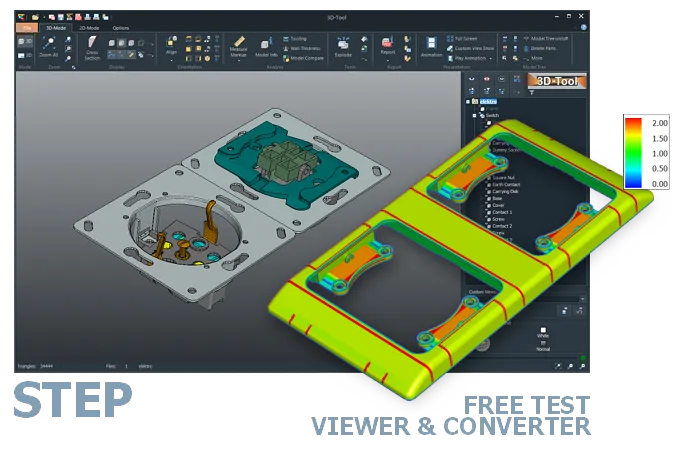
The 3D-Tool Viewer opens STEP, STP, STPZ, and STPX files without any additional CAD software.
The 3D-NativeCAD Converter converts STEP models to CAD exchange formats such as IGES, JT, SAT, and Parasolid X_T. It also supports visualization formats such as STL, OBJ, 3D-PDF, 3D-HTML, FBX, 3MF, and glTF.
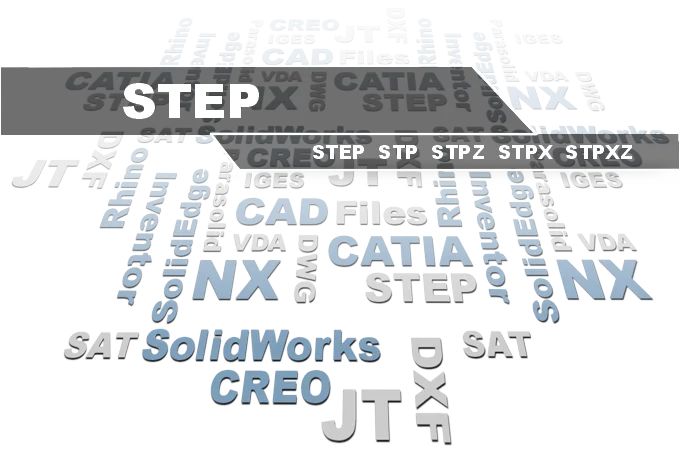
Direct support for the CAD formats listed here.
Fully functional, no obligation.
Stable, precise CAD data processing.
Compatible with current Windows versions.
A STEP file from a customer, supplier, or partner often arrives without any indication of the CAD system that created it. The 3D-Tool Viewer opens it anyway, making geometry, assembly structure, and dimensions accessible right away, regardless of the original CAD program.
Unlike many free online viewers, 3D-Tool goes beyond pure viewing: wall thickness, angles, and distances can be measured and checked directly. If the file format does not match your own software, the 3D-NativeCAD Converter also transfers the model into another exchange format - useful when no CAD system with a STEP interface is available in-house.
Atomic STEP file: Typically, a STEP file contains the complete model-in the case of an assembly, the entire assembly and all parts. Some CAD programs offer the option of splitting the components of an assembly into multiple part files linked via assembly STEP files.
STPX (STEP-XML): Similar to an Atomic STEP file, these models consist of multiple files. The XML file with the stpx extension contains the assembly structure and additional metadata in text-based, human-readable XML format. The 3D geometry data, meaning the actual 3D parts, is stored in externally linked STEP files.
STPZ / STPXZ: stpz files contain one or more STEP files in compressed form, similar to a ZIP archive. The STEP format compresses well, so the files become relatively small. stpxz files are accordingly compressed projects in STEP-XML format.
Without a CAD program, open a STEP file with a STEP reader. The 3D-Tool CAD Viewer is a STEP reader and opens all STEP file formats and variants listed above. Professional measurement tools and analyses utilize the full potential of STEP data.
There are also a few free STEP readers and even online STEP viewers for viewing a 3D design in STEP format. However, these are limited to pure viewing.
The usual alternative is CAD/CAM software with a STEP interface. Older interfaces do not always support, or only partially support, more modern formats such as STEP AP242 and STEP-XML.
Convert STEP files with a 3D converter or CAD converter, for example to IGES, SAT, OBJ, or STL. The 3D-NativeCAD Converter in 3D-Tool Premium converts all STEP file formats and many other 3D CAD formats to common 3D exchange formats such as JT, IGES, SAT, and Parasolid X_T. The 3D-Tool Viewer itself converts 3D models to mesh formats such as 3MF, STL, and PLY.
Without a converter or CAD/CAM software with a STEP interface, the model must be exported from the original CAD system. A different 3D exchange format or 3D visualization format is suitable, for example for 3D printing or design software such as Blender.
3D-Tool is a CAD Viewer with interfaces for common native CAD formats and 3D exchange formats. 3D-Tool offers professional measurement tools, draft analysis, and wall thickness analysis.
Simply download 3D-Tool, start it, and request a trial key. Test all functions, all interfaces, and the 3D-NativeCAD Converter for 14 days. Open and convert STEP, IGES, SAT, Parasolid, as well as CATIA, Designcenter (Siemens NX), Inventor, SolidWorks, and many other formats.