Native CAD interfaces
Direct support for the CAD formats listed here.
Modern, easy-to-use CAD viewer
Cost-effective CAD converter for all formats
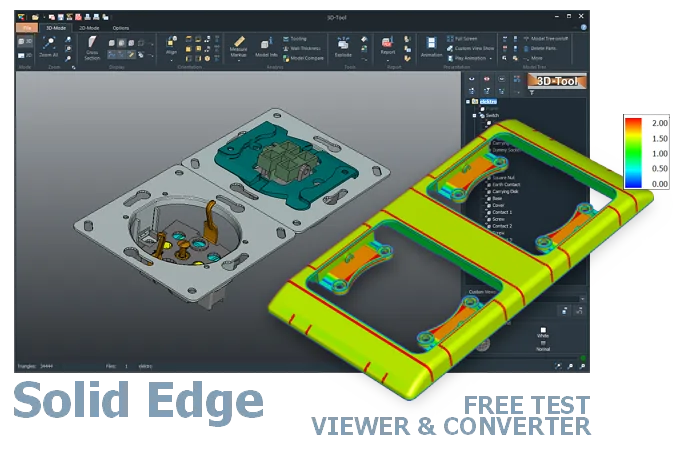
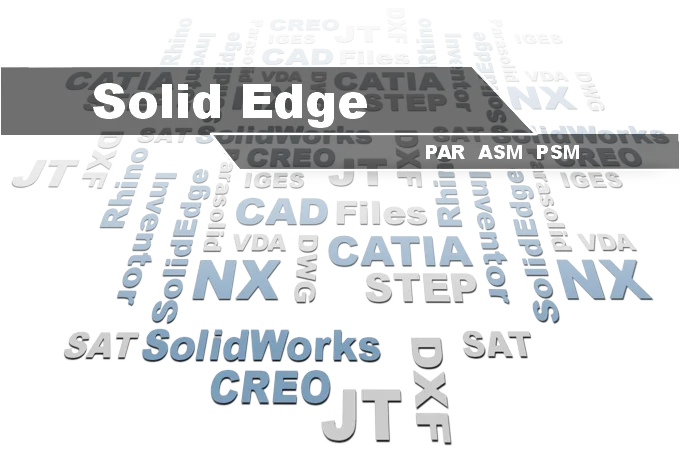
The 3D-Tool Viewer opens Designcenter Solid Edge ASM, PAR, and PSM files without Designcenter Solid Edge software.
The 3D-NativeCAD Converter converts Designcenter Solid Edge models to a wide range of formats such as STEP, IGES, JT, SAT, Parasolid X_T, STL, OBJ, 3D-PDF, 3D-HTML, FBX, 3MF, and glTF.
Direct support for the CAD formats listed here.
Fully functional, no obligation.
Stable, precise CAD data processing.
Compatible with current Windows versions.
PAR, ASM, and PSM files from Designcenter Solid Edge often show up only occasionally - for example when a supplier delivers a PAR part, an ASM assembly, or a PSM sheet metal part while the company itself runs a different CAD system. The 3D-Tool Viewer opens these files without requiring an installation of Designcenter Solid Edge of your own.
For PSM sheet metal parts in particular, wall thickness and geometry can be checked directly in the viewer before releasing an order. For further processing, the 3D-NativeCAD Converter turns PAR, ASM, and PSM models into STEP and other common exchange formats.
The first version of Solid Edge was introduced in November 1995. Solid Edge was developed specifically for Microsoft Windows. Through version 4, Solid Edge used the ACIS modeling kernel from Spatial. After the acquisition by Unigraphics Solutions (UGS), Solid Edge switched to the UGS Parasolid modeling kernel in version 5.
Siemens acquired UGS in 2007. The ST 1 through ST 10 versions were followed by Solid Edge 2019. Since then, version names have used a year designation.
Siemens' Designcenter suite now brings together NX and Solid Edge. Solid Edge is offered under the name Designcenter Solid Edge. Older releases cannot open file versions created with newer releases. In these cases, Siemens recommends the Parasolid exchange format X_T or X_B.
Open Designcenter Solid Edge ASM, PAR, and PSM files with a Designcenter Solid Edge installation. Alternatively, use CAD/CAM software with a Designcenter Solid Edge interface, such as Designcenter (Siemens NX).
The free Solid Edge View supports native Designcenter Solid Edge parts, assemblies, and drawings, but has not provided measurement functions since version 2022.
The 3D-Tool CAD Viewer opens Designcenter Solid Edge ASM, PAR, and PSM files and provides extensive measurement and analysis tools. You can try 3D-Tool free of charge for 14 days.
Without CAD software with a Designcenter Solid Edge interface, the design must be exported from Designcenter Solid Edge to a common 3D exchange format, such as STEP. Parasolid x_t or x_b is recommended for exchange with Designcenter (Siemens NX) and SolidWorks.
Converting ASM, PAR and PSM to STEP is also possible with a 3D converter.
The 3D-NativeCAD Converter in 3D-Tool Premium converts native Designcenter Solid Edge models and models from many other CAD systems reliably into the standard 3D exchange formats STEP, IGES, SAT, and Parasolid X_T.
3D-Tool is a CAD Viewer with many native CAD interfaces, including Designcenter Solid Edge, plus professional measurement tools, draft analysis, and wall thickness analysis.
Free, no-obligation 14-day trial with all functions, the Designcenter Solid Edge interfaces, and the 3D-NativeCAD Converter. The trial key activates all 3D interfaces, including Designcenter (Siemens NX), CATIA, Inventor, STEP, SAT, and Parasolid.