Native CAD interfaces
Direct support for the CAD formats listed here.
Modern, easy-to-use CAD viewer
Cost-effective CAD converter for all formats
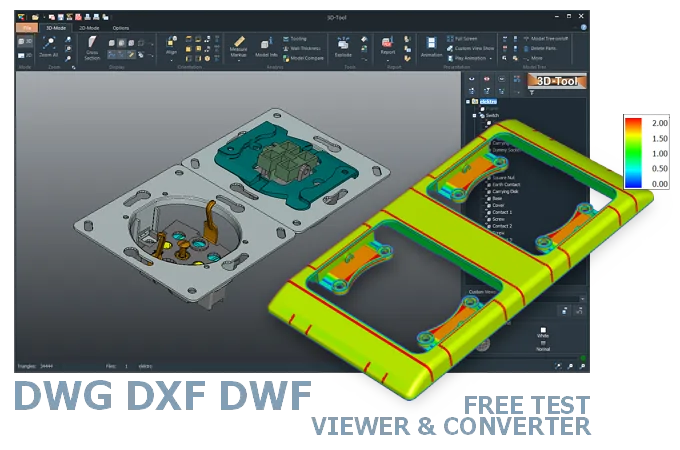
The 3D-Tool Viewer opens DWG and DXF files in 2D and 3D, as well as 3D DWF files, without any additional CAD software.
The 3D-NativeCAD Converter converts models to exchange formats such as STEP, IGES, JT, SAT, and Parasolid X_T. It also supports visualization formats such as STL, OBJ, 3D-PDF, 3D-HTML, FBX, 3MF, and glTF.
Direct support for the CAD formats listed here.
Fully functional, no obligation.
Stable, precise CAD data processing.
Compatible with current Windows versions.
DWG, DXF, and DWF files often land in an inbox from a client, architect, or supplier who never installed AutoCAD in the first place - the 3D-Tool Viewer opens all three formats directly, whether the file holds a 2D drawing, a 3D model, or both. Unlike a plain online viewer, the drawing can be measured and checked for dimensions and geometry, not just displayed.
DWG, DXF, and DWF are used far beyond mechanical engineering, across architecture, construction, and many other industries, so the viewer covers more ground than software built for a single CAD system. That makes it easy to confirm whether a drawing someone else sent actually contains the dimensions and geometry needed before using it further.
Due to the close relationship, DWG files can be used in Autodesk AutoCAD and Autodesk Inventor. However, you can modify a DWG file created with Inventor only in Inventor. You can modify a DWG file created with AutoCAD only in AutoCAD.
The DXF format is suitable for exchange between Autodesk programs and with third-party software. However, it does not offer any special Autodesk functions, such as those from Autodesk Civil 3D, Revit, and Inventor. DXF files are ASCII-coded and significantly larger than binary DWG files.
DWF files contain vector-based data and, for 3D models, triangulated data (MESH). DWF and DWFx are intended for publication only and not for further editing in CAD software.
All three formats can be opened with Autodesk programs such as AutoCAD and Inventor. DXF and the newer DWF/DWFx files are also supported by numerous other applications. For example, DWFx files can also be viewed in the Microsoft XPS Viewer.
Autodesk offers various viewing solutions with DWG TrueView, AutoCAD Web, and the Autodesk Viewer, ranging from free without registration to registration and paid.
The 3D-Tool CAD Viewer opens DWG and DXF files in 2D and 3D, as well as DWF and DWFx files containing 3D data. It offers numerous measurement and analysis tools in an easy-to-use application. 3D-Tool can be tested free of charge for 14 days.
Converting DWG to DXF is possible with DWG TrueView from Autodesk.
Converting 3D DWG to STEP or 3D DXF to STEP with converter software only works for exact geometries (BREP). Triangulated models (MESH) cannot be converted to STEP, IGES, CATIA, SolidWorks, or other CAD formats. This means that converting 3D DWF or 3D DWFx to CAD formats is impossible.
The 3D-NativeCAD Converter in 3D-Tool Premium reliably converts DXF and DWG models to common 3D exchange formats such as STEP, IGES, JT, SAT, and Parasolid X_T. This also applies to models from many other CAD systems. It converts DWF models to visualization formats such as 3MF, FBX, 3D-PDF, or 3D-HTML.
3D-Tool is a CAD Viewer with many native CAD interfaces, including Inventor. 3D-Tool provides professional measurement tools, draft analysis, and wall thickness analysis.
Free, no-obligation 14-day trial with all features, the AutoCAD interfaces, and the 3D-NativeCAD Converter. The trial key activates all 3D interfaces, such as CATIA, Designcenter (Siemens NX), SolidWorks, Creo, STEP, and SAT.