Native CAD interfaces
Direct support for the CAD formats listed here.
Modern, easy-to-use CAD viewer
Cost-effective CAD converter for all formats
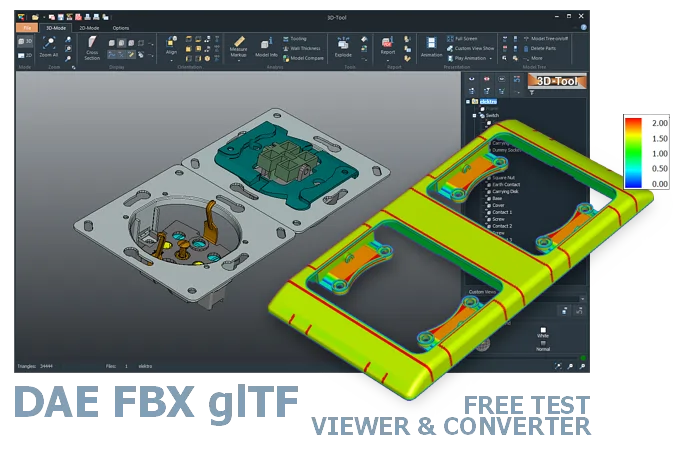
The 3D-Tool Viewer opens DAE, FBX, and glTF files without any additional CAD software.
The 3D-NativeCAD Converter exports visualization models to formats such as JT, STL, U3D, 3D-PDF, and 3D-HTML.

Direct support for the CAD formats listed here.
Fully functional, no obligation.
Stable, precise CAD data processing.
Compatible with current Windows versions.
3D-Tool opens DAE, FBX, and glTF files directly, even when the file comes from a game engine, a rendering program, or an AR/VR pipeline and the original software is not available. FBX files in particular often reach people who own neither 3ds Max nor Maya but still need to check the model.
Unlike a plain online preview, the 3D-Tool CAD Viewer adds measurement and analysis tools, so the dimensions and geometry of the visualization model can be checked directly rather than just spun around on screen.
All of these formats are designed for efficient transfer of complex 3D scenes. They are used as interchange formats in game and film production, for realistic product visualization, and for virtual reality and augmented reality.
In addition to model geometry, the formats can contain textures, animations, lighting, and camera positions. glTF supports PBR (Physically Based Rendering), which simulates how light behaves on surfaces in a realistic way.
Unlike the free, open formats DAE/COLLADA (XML) and glTF (JSON), FBX is a proprietary Autodesk format. However, Autodesk allows developers to implement FBX support through the FBX SDK without charging license fees. (05/2026)
Open DAE, FBX, and glTF files with 3D rendering software such as Blender, Maya, and 3DS Max. Google SketchUp and some online viewers also support these modern 3D scene formats.
The 3D-Tool CAD Viewer opens DAE, FBX, and glTF files and provides extensive measurement, markup, and analysis tools.
For technical users, it is especially important to bridge 3D CAD data from product development to realistic product visualizations in 3D rendering software. The 3D-NativeCAD Converter in 3D-Tool Premium converts 3D models from common CAD systems to these modern visualization formats. These CAD systems include CATIA, Designcenter (Siemens NX), Creo, and SolidWorks.
Without CAD/CAM software with a suitable interface, the model must be exported from the original 3D program to another 3D exchange format or 3D visualization format.
Converting DAE, FBX, and glTF is also possible with a 3D converter.
3D-Tool Premium includes the 3D-NativeCAD Converter, which converts many 3D formats, including native formats from common CAD systems, to 3D exchange formats or 3D product visualizations. For DAE, FBX, and glTF, however, note that visualization data (MESH) can only be converted to formats that support this data type.
3D-Tool is a CAD Viewer with interfaces for common native CAD formats, 3D exchange formats, and many 3D visualization formats. 3D-Tool offers professional measurement functions, draft analysis, wall thickness analysis, and the 3D-NativeCAD Converter.
Download 3D-Tool, launch it, and request a trial key. Test all features, all interfaces, and the 3D-NativeCAD Converter for 14 days. Open and convert DAE, FBX, glTF, STEP, JT, as well as CATIA, Designcenter (Siemens NX), Inventor, SolidWorks, and other formats.