Native CAD interfaces
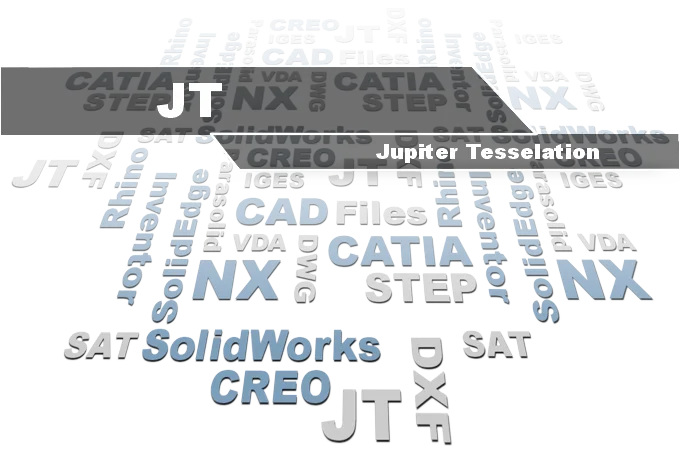
Direct support for the CAD formats listed here.
Modern, easy-to-use CAD viewer
Cost-effective CAD converter for many formats
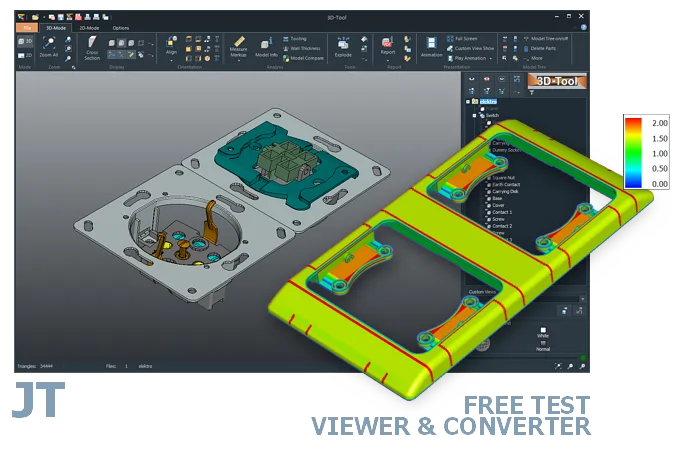
The 3D-Tool Viewer opens JT files without any additional CAD software.
The 3D-NativeCAD Converter converts JT models, depending on their geometry, to exchange formats such as STEP, IGES, SAT, and Parasolid X_T or visualization formats such as STL, OBJ, 3D-PDF, 3D-HTML, FBX, 3MF, and glTF.
Direct support for the CAD formats listed here.
Fully functional, no obligation.
Stable, precise CAD data processing.
Compatible with current Windows versions.
A JT file often comes from the automotive supply chain, for example exported from a PLM system such as Teamcenter, and needs to be opened by suppliers or partners without a Designcenter (Siemens NX) license of their own. The 3D-Tool Viewer opens these JT models directly, showing assembly structure and geometry without the original CAD system.
Free JT readers are usually built for viewing only. 3D-Tool goes further: when the file contains exact geometry (JT-BREP), dimensions can be checked directly, and the 3D-NativeCAD Converter converts the model to formats such as STEP or IGES when needed.
Unigraphics Solutions developed JT for production use based on customer requirements as early as 1997 (version 6.4). In December 2012, JT was officially published under ISO 14306:2012 as a neutral and license-free 3D visualization format. The basis was JT version 9.5.
Work on a second, extended version of the ISO standard began in 2013. This second version of ISO 14306 was published in 2017.
With the JT Open Toolkit, Siemens PLM provides a free C++ programming interface. It gives users ISO-compliant read/write access to the extensive JT data.
JT assemblies are available in several variants:
Many 3D visualization and design programs can read JT files. If JT files contain exact geometry (BREP), CAD/CAM programs such as Designcenter (Siemens NX) or Designcenter Solid Edge can also read them.
To view a 3D design in JT format, there are free JT readers such as JT2Go from Siemens or some online viewers. The focus here is on the presentation rather than the analysis of the designs.
The 3D-Tool CAD Viewer opens JT files in the supported versions. Professional measurement tools and analyses make use of the JT data.
Convert a JT file with a 3D CAD converter, for example from JT to STEP, from JT to STL, or to another 3D format. The file contents are decisive. Only files containing exact 3D geometry (BREP) can be converted to STEP, IGES, or other exact CAD formats. Files containing only visualization data (MESH) can only be converted to visualization formats such as STL or VRML.
The 3D-NativeCAD Converter in 3D-Tool Premium converts many 3D CAD formats, including JT (BREP), to the 3D exchange formats STEP, IGES, SAT, and Parasolid X_T. The 3D-Tool Viewer itself converts JT models (BREP and MESH) to mesh formats such as STL and PLY. The file format comparison shows which 3D-Tool editions and the converter import JT files and which output formats are available.
Without 3D or CAD software with a JT interface, the model must be exported from the original CAD system. The 3D format must be suitable for the target application.
3D-Tool is a CAD Viewer with interfaces for common native CAD formats and 3D exchange formats. 3D-Tool offers professional measurement tools, draft analysis, and wall thickness analysis.
Download 3D-Tool, start the program, and request a trial key. Try all features, all interfaces, and the 3D-NativeCAD Converter free of charge for 14 days. Open and convert JT, STEP, IGES, SAT, Parasolid, as well as formats from CATIA, Designcenter (Siemens NX), Inventor, SolidWorks, and other CAD systems.