Native CAD interfaces
Direct support for the CAD formats listed here.
Modern, easy-to-use CAD viewer
Cost-effective CAD converter for all formats
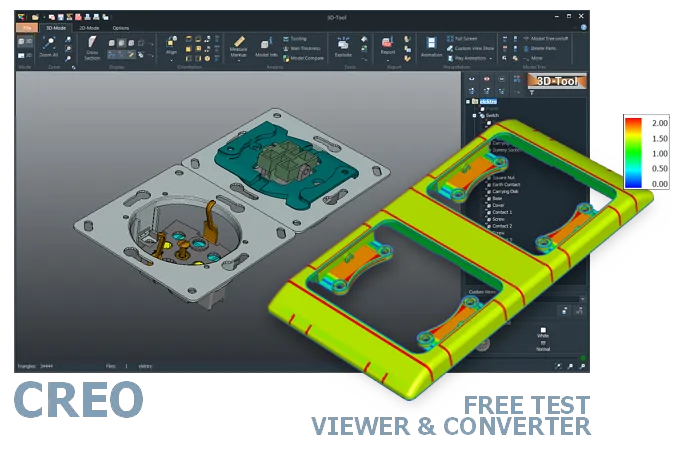
The 3D-Tool Viewer opens Creo PRT and ASM files without Creo software.
The 3D-NativeCAD Converter converts Creo models to a wide range of formats such as STEP, IGES, JT, SAT, Parasolid X_T, STL, OBJ, 3D-PDF, 3D-HTML, FBX, 3MF, and glTF.
Direct support for the CAD formats listed here.
Fully functional, no obligation.
Stable, precise CAD data processing.
Compatible with current Windows versions.
Anyone who receives a PRT or ASM model from Creo Parametric or its predecessor Pro/ENGINEER does not need a Creo license just to look at it. The 3D-Tool Viewer opens these files, shows the assembly structure and geometry, and allows direct measurements on the model.
This matters beyond design teams: purchasing, quality assurance, or customers regularly check supplier parts the same way, without buying an extra CAD license. For handing models to other systems, the 3D-NativeCAD Converter turns Creo models into STEP and other common exchange formats.
Creo Parametric is the successor to Pro/ENGINEER. Pro/ENGINEER was the first parametric 3D CAD system in 1988. From 2002 to 2008 it was called Pro/ENGINEER Wildfire. Creo Parametric has been part of the Creo suite since 2009. Older Creo versions generally cannot open PRT and ASM files from newer Creo Parametric versions. Files explicitly exported for an older Creo version are an exception.
Creo Elements is another application in the Creo suite. It is a direct modeling software application and a further development of CoCreate. Creo Elements has its own native file formats.
Creo View is a family of viewers for visualizing Creo 3D models and 2D drawings.
Open Creo PRT and ASM files with a Creo installation, CAD/CAM software with a Creo interface, or a CAD viewer. The free Creo View Express supports native Creo Parametric parts (prt) and assemblies (asm). However, it does not offer markup capabilities and provides only simple distance and length measurements.
In addition to PRT and ASM files, the 3D-Tool CAD Viewer opens many other CAD formats and offers extensive measurement and analysis functions.
Without CAD software with a Creo interface, the models must be exported from Creo to a common 3D exchange format, such as STEP.
Converting Creo ASM and PRT to STEP is also possible with a 3D converter.
The 3D-NativeCAD Converter in 3D-Tool Premium converts native Creo models and models from many other CAD systems reliably into the standard 3D exchange formats STEP, IGES, SAT, and Parasolid X_T.
3D-Tool is a CAD Viewer with many native CAD interfaces, including Creo. 3D-Tool provides professional measurement tools, draft analysis, and wall thickness analysis.
The 14-day trial is free and non-binding. It includes all features, the Creo interfaces, and the 3D-NativeCAD Converter. The trial key activates all 3D interfaces, including Designcenter (Siemens NX), SolidWorks, Inventor, STEP, SAT, and Parasolid.