Native CAD interfaces
Direct support for the CAD formats listed here.
Modern, easy-to-use CAD viewer
Cost-effective CAD converter for all formats
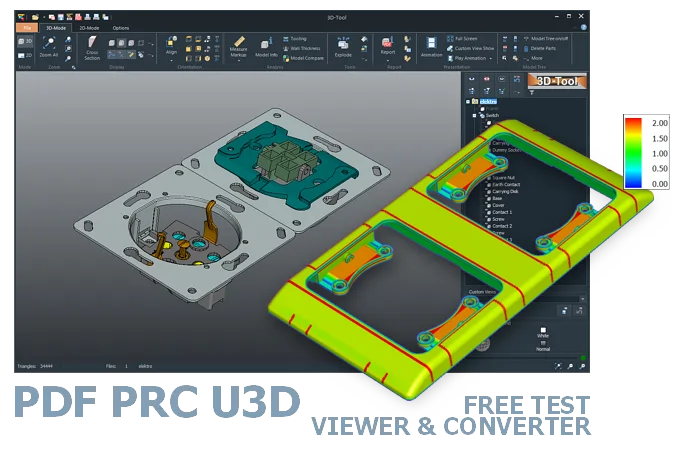
The 3D-Tool Viewer opens 3D-PDF, PRC, and U3D files without any additional CAD software.
The 3D-NativeCAD Converter exports visualization models to formats such as JT, STL, U3D, 3D-PDF, and 3D-HTML.

Direct support for the CAD formats listed here.
Fully functional, no obligation.
Stable, precise CAD data processing.
Compatible with current Windows versions.
3D-Tool opens 3D-PDF, PRC, and U3D files so the embedded part can actually be rotated, zoomed, and measured, instead of appearing as a static page in a plain PDF reader. This matters most for quotes, assembly instructions, or spare parts catalogs that arrive with an embedded 3D model.
Instead of installing Adobe Acrobat for a single file, the 3D-Tool CAD Viewer opens the geometry directly, whether it is embedded in the PDF or exists as a standalone PRC or U3D file, and adds measurement and analysis tools for it.
Acrobat 3D was a special version of Acrobat with additional functions, including direct import of selected 3D CAD formats.
Acrobat 3D was replaced by Acrobat 9 Pro Extended in 2009. Acrobat 9 Pro Extended enabled the conversion of 3D CAD formats to PRC and the import of U3D and PRC into PDF documents.
Since Acrobat X, Adobe no longer supports 3D CAD conversion directly. Instead, Adobe relies on add-on products from Tetra 4D, initially under the name 3D PDF Converter and later under the name Tetra4D Converter.
PDF readers that can view 3D models include Adobe Acrobat and the free Adobe Reader. Also do some mobile applications such as 3D PDF Reader for iOS and Android.
PRC and U3D models are typically opened with the paid Adobe Acrobat to embed the 3D models in PDF documents.
The 3D-Tool CAD Viewer opens 3D PDF, PRC, and U3D files and provides extensive measurement, markup, and analysis tools.
Convert 3D-PDF, PRC, and U3D files with a 3D converter. The 3D-NativeCAD Converter in 3D-Tool Premium converts many 3D formats, including native formats from common CAD systems, to 3D exchange formats or visualization formats. One restriction applies to 3D-PDF, PRC, and U3D: visualization data (MESH) can only be converted to formats that support this type of data.
Without a 3D converter or CAD/CAM software with a suitable interface, the only option is to use the original CAD system. There, the model must be exported to another 3D exchange format or 3D visualization format.
3D-Tool is a CAD Viewer with interfaces for common native CAD formats and 3D exchange formats. 3D-Tool provides professional measurement functions, draft analysis, and wall thickness analysis.
Simply download 3D-Tool, start it, and request a trial key. Test all features, all interfaces, and the 3D-NativeCAD Converter for 14 days. Open and convert 3D-PDF, PRC, U3D, STEP, JT, as well as CATIA, Designcenter (Siemens NX), Inventor, SolidWorks, and other formats.