Native CAD interfaces
Direct support for the CAD formats listed here.
Modern, easy-to-use CAD viewer
Cost-effective CAD converter for all formats
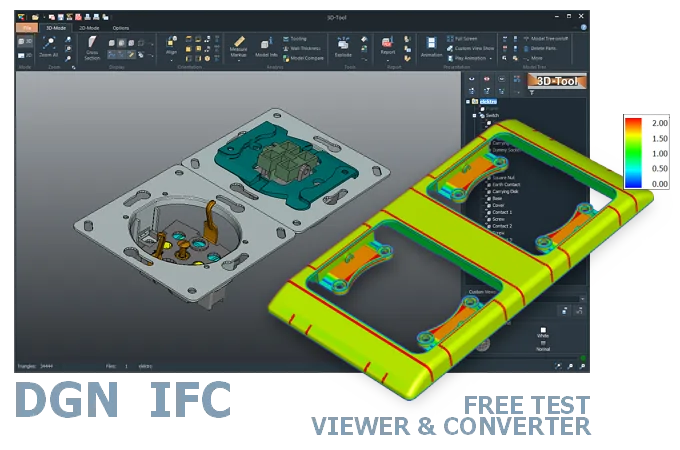
The 3D-Tool Viewer opens DGN and IFC files without any additional CAD software.
The 3D-NativeCAD Converter converts DGN and IFC models to CAD exchange formats such as STEP, IGES, JT, SAT, and Parasolid X_T. It also supports visualization formats such as STL, OBJ, 3D-PDF, 3D-HTML, FBX, 3MF, and glTF.

Direct support for the CAD formats listed here.
Fully functional, no obligation.
Stable, precise CAD data processing.
Compatible with current Windows versions.
A DGN model from MicroStation-based design or an IFC building model from a BIM project often lands with people who run neither Bentley nor their own BIM software - the 3D-Tool Viewer opens both formats directly, whatever system created them. That covers general contractors, engineers, or owner's representatives who simply need to check what was delivered.
DGN tends to come from route and plant design, IFC from cross-discipline building coordination, but both raise the same question once a model changes hands: does it hold the dimensions and geometry the project needs, and is it ready to sign off or pass on to the next party.
DGN files are a native CAD file format used mainly by Bentley Systems' MicroStation software, but they are also supported by other applications. They store 2D and 3D design data for architecture, construction, and infrastructure projects and can contain vector graphics, raster images, and metadata.
IFC (Industry Foundation Classes) is an open, neutral file format. The architecture, engineering, and construction (AEC) industry uses it to exchange BIM (Building Information Modeling) data. IFC files contain both 3D geometry and non-geometric data such as properties, quantities, and spatial relationships. This allows architects and engineers to collaborate on a project even when they use different software.
The DGN format is compatible with the AutoCAD DWG format. You can open and edit DWG files in MicroStation and import DGN files into AutoCAD.
IFC files can contain Building Information Modeling (BIM) data in various formats. The most widely used and supported format is the STEP Physical Format (SPF or IFC-SPF). This is the most compact of the supported formats and can also be read as text. IFC-SPF is based on the ISO standard for the plain-text representation of EXPRESS data models, ISO 10303-21.
Open DGN files with the native MicroStation software or another compatible program. Options include Bentley View, AutoCAD with plug-ins, and web-based viewers such as Autodesk A360. The IFC format has an open, neutral architecture, so it is supported by many applications, including AutoCAD, FreeCAD, BlenderBIM, and other BIM viewers.
The 3D-Tool CAD Viewer opens DGN and IFC files and provides numerous measurement and analysis tools in an easy-to-use application. You can try 3D-Tool free for 14 days.
The 3D-NativeCAD Converter in 3D-Tool Premium reliably converts DGN and IFC models to common 3D exchange formats such as STEP, IGES, SAT, and Parasolid X_T. This also applies to models from many other CAD systems. However, the models must contain BREP data, meaning exact CAD geometry. You can convert 3D visualization data (MESH) only to visualization formats such as 3D-PDF, 3D-HTML, or 3MF.
The most common conversion is probably between DGN and IFC files, as well as between DGN/IFC and AutoCAD DWG files. A number of different converters and import interfaces are available for this, taking into account the special nature of BIM data.
3D-Tool is a CAD Viewer with many 3D CAD interfaces, including DGN and IFC, as well as professional measurement functions, draft analysis, and wall thickness analysis.
Free, no-obligation 14-day trial with all features, the DGN/IFC interfaces, and the 3D-NativeCAD Converter. The trial key activates all 3D interfaces, such as CATIA, Designcenter (Siemens NX), SolidWorks, Creo, STEP, and SAT.