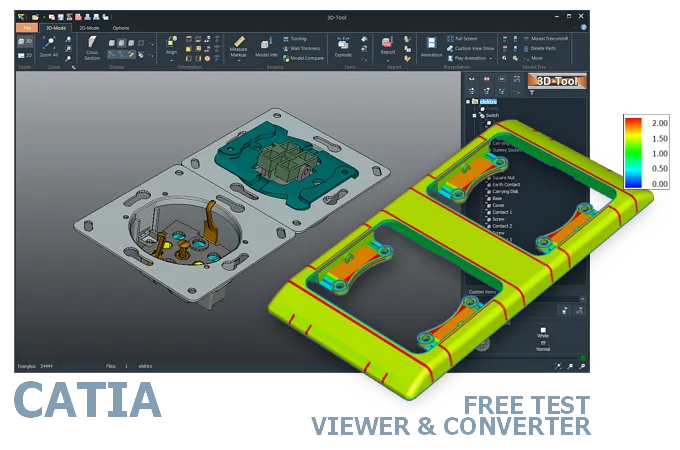
Native CAD interfaces
Direct support for the CAD formats listed here.
Modern, easy-to-use CAD viewer
Cost-effective CAD converter for all formats
The 3D-Tool Viewer opens CATPart, CATProduct, 3DXML, CGR, and model files without CATIA software.
The 3D-NativeCAD Converter converts CATIA models to exchange formats such as STEP, IGES, JT, SAT, and Parasolid X_T. It also supports visualization formats such as STL, OBJ, 3D-PDF, 3D-HTML, FBX, 3MF, and glTF.
Direct support for the CAD formats listed here.
Fully functional, no obligation.
Stable, precise CAD data processing.
Compatible with current Windows versions.
Automotive and aerospace suppliers often receive CATPart and CATProduct files straight from an OEM customer, without owning a CATIA seat themselves. The 3D-Tool Viewer still opens these files, so geometry, dimensions, and assembly structure can be reviewed directly on the delivered model.
For sharing with colleagues who have no CATIA access, or handing a model to another CAD system, the 3D-NativeCAD Converter turns CATPart and CATProduct files into STEP and other common exchange formats - ahead of a manufacturing release or quote.
New CATIA V5 and V6 releases appear regularly. Releases are designated V5R1 through V5R21. Since 2013, with the introduction of CATIA V6, they have used the designation V5-6R followed by the release year, for example V5-6R2026.
Older releases generally cannot open files created with newer releases. Files explicitly exported for an older CATIA release are an exception.
CATIA was one of the world's first CAD/CAM programs in 1977, but CATParts and CATProducts have existed only since CATIA V5 in 1999. Its predecessor, CATIA V4, used model files, which are still occasionally in circulation.
Open CATIA CATProduct and CATPart files with CATIA, other CAD/CAM software with a CATIA interface, or a CAD viewer. CATIA CAD/CAM software from Dassault Systèmes is the usual choice. Compared to a CAD system, CAD viewers are an affordable alternative. The 3D-Tool CAD Viewer opens CATPart, CATProduct, 3DXML, CGR, and model files. You can try it free of charge for 14 days.
Without CAD software with a CATIA interface, the design must be exported from CATIA to a common 3D exchange format, such as STEP.
Converting CATProduct and CATPart to STEP is also possible with a 3D converter.
The 3D-NativeCAD Converter in 3D-Tool Premium converts native CATIA models and models from many other CAD systems reliably into the standard 3D exchange formats STEP, IGES, SAT, and Parasolid X_T.
3D-Tool is a CAD Viewer with many native CAD interfaces, including CATIA V4 and V5-6, as well as professional measurement tools, draft analysis, and wall thickness analysis.
Free, no-obligation 14-day trial with all features, the CATIA interfaces, and the 3D-NativeCAD Converter. The trial key activates all 3D interfaces, including Designcenter (Siemens NX), SolidWorks, Inventor, STEP, SAT, and Parasolid.