intuitive & practical3D without CAD knowledge

affordable & universalmany 3D/2D - Interfaces

DWG DXF DWF Viewer
open AutoCAD 3D and 2D files

Autodesk-Viewer für DWG und DXF

DWG, DXF and DWF - Characteristics

Due to the close relationship, DWG files can be used in Autodesk AutoCAD and Autodesk Inventor. However, a DWG file created with Inventor can only be modified in Inventor. A DWG file created with AutoCAD can only be modified in AutoCAD.

The DXF format is suitable for exchange between Autodesk programs and with third-party software, but does not offer any special Autodesk functions, e.g. from Autodesk Civil 3D, Revit and Inventor. DXF files are ASCII-coded and significantly larger than binary DWG files

DWF files contain vector-based data and, for 3D models, triangulated data (MESH). DWF and DWFx are intended for publication only and not for further editing in CAD software.


How do I convert DWG, DXF, and DWF files?

Converting DWG to DXF is possible with DWG TrueView from Autodesk.

Converting 3D DWG to STEP or 3D DXF to STEP with converter software only works for exact geometries (BREP). Triangulated models (MESH) cannot be converted to STEP, IGES, CATIA, SolidWorks, or other CAD formats. This means that converting 3D DWF or 3D DWFx to CAD formats is impossible.

3D-Tool Premium includes the 3D NativeCAD Converter. In addition to DXF and DWG models, it converts models from many common CAD systems into the 3D exchange formats STEP, IGES, SAT, and Parasolid X_T, which are supported by many CAD/CAM programs. DWF models can be converted to other visualization formats such as 3MF, FBX, 3D PDF, or 3D HTML.

Test the DXF-DWG-WF Viewer and Converter

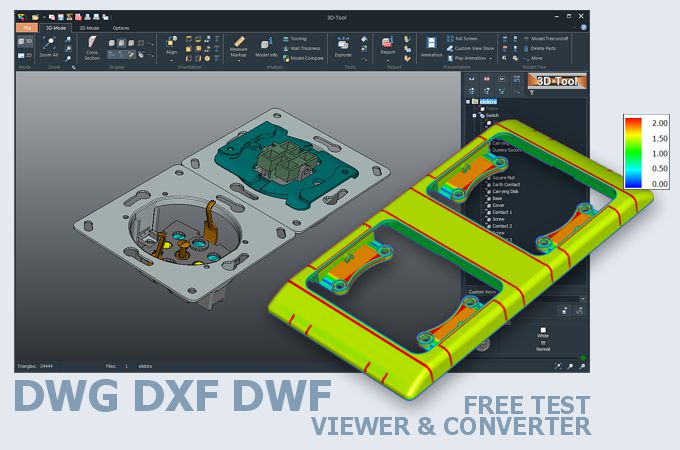
3D-Tool is a CAD viewer with many native CAD interfaces, including Inventor, and professional measurement functions, shape analysis and wall thickness analysis.

  • Open, dimension, comment, and publish DWG/DXF/DWF (3D and 2D) to the 3D Tool Free Viewer.
  • Publish DWG/DXF/DWF (3D) as 3D PDF or save as STL, 3DS, PLY, WRL, OBJ, PLY.
  • Convert DWG/DXF (3D-BREP) to STEP, IGES, SAT, X_T, and JT.
  • Convert DWG/DXF/DWF (3D-MESH) to 3D product visualizations such as 3D HTML, FBX, Collada, 3MF, and glTF.

Free and non-binding 14-day trial with all functions, the Autodesk interfaces and the 3D-Native CAD Converter. The demo key activates all 3D interfaces, such as CATIA, Siemens NX, SolidWorks, Creo, STEP, SAT.

More information on the 3D-Tool CAD-Viewer and Converter
3D-Tool
Viewer

Go to the 3D-Tool Download
Download
and Trial

Show the 3D-Tool price list
Licenses
and Prices